This post contains Amazon affiliate links.
Keeping Your Phone Charged During a 3-Days With No Power
When the power goes out for a few hours, keeping your phone charged is usually manageable.
A three-day outage is a different story.
Your phone may become your main source of weather alerts, emergency information, maps, communication, banking access, and news. If you use the battery normally, you could run out of power long before electricity is restored.
The good news is that you do not need a massive backup power system just to keep your phone running for several days.
With a charged power bank, a car charger, smart battery management, and possibly a portable solar charger, you can keep your phone available throughout a 72-hour outage.
If you are still deciding what kind of backup power makes sense, our guide on whether a solar generator is necessary for short outages explains when a larger power station is worth buying and when a simpler setup will do the job.
Start With a Fully Charged Phone
The best time to prepare for a power outage is before it happens.
If severe weather is expected, charge your phone to 100%.
Do the same for:
- Power banks
- Tablets
- Laptops
- Rechargeable flashlights
- Portable radios
- Solar power banks
Do not wait until the lights go out.
A fully charged phone gives you a head start and allows you to preserve your backup batteries until you actually need them.
How Long Will a Phone Battery Last During an Outage?
Many smartphones can last about a day with ordinary use, although battery life varies widely.
Your phone may last much longer if you barely use it, or only a few hours if you spend the day streaming video, using navigation, or searching for a weak cellular signal.
Battery life depends on factors such as:
- Phone model
- Battery condition
- Screen brightness
- Cellular signal strength
- Background apps
- Streaming
- GPS use
- Wi-Fi
- Bluetooth
- How frequently you check your phone
One problem during a widespread outage is weak cellular service.
If nearby towers lose power or networks become congested, your phone may constantly search for a better signal. That can consume more battery than you might expect.
Turn On Battery Saver Immediately
Do not wait until your phone reaches 20%.
Turn on its battery-saving mode soon after the outage begins.
On an iPhone, this is Low Power Mode.
Many Android phones call it Battery Saver or Power Saving Mode.
Battery-saving features can reduce:
- Background activity
- Automatic downloads
- Email syncing
- Visual effects
- App refreshes
- Screen activity
During a multi-day outage, conserving electricity from the beginning is much easier than trying to save the final 5% of your battery later.
Lower Your Screen Brightness
Your phone’s screen can consume a significant amount of power.
Turn the brightness down as low as you can comfortably use.
Also shorten the amount of time the display remains active.
A screen that shuts off after 30 seconds will consume less power than one that stays on for several minutes every time you check a message.
Use Airplane Mode Whenever You Can
Airplane mode can be one of the most useful battery-saving tools during a blackout.
When your phone has poor service, it may repeatedly search for cellular towers.
That consumes power.
If you do not need to receive calls and messages continuously, turn airplane mode on.
Every hour or two, turn it off and check:
- Text messages
- Missed calls
- Emergency alerts
- Weather updates
- Utility restoration information
Then return to airplane mode.
If the situation is serious or you are waiting for an important call, you may want to keep cellular service active.
Turn Off Bluetooth
If you are not using Bluetooth headphones, a smartwatch, hearing device, or another necessary accessory, consider turning Bluetooth off.
It may not save a huge amount of electricity by itself, but several small battery-saving changes can make a noticeable difference over three days.
Turn Off Wi-Fi When It Is Not Available
If your router and modem are down because of the power outage, leaving Wi-Fi enabled may not provide much benefit.
Turn it off until you need it.
If you have a backup battery powering your internet equipment, you can turn Wi-Fi back on while using the connection.
A small portable power station can also keep a modem and router operating during some outages. Our article about solar generators for short power outages covers some of the situations where this makes sense.
Avoid Battery-Hungry Apps
During a three-day outage, your phone should primarily be a communication and information tool.
Try to limit:
- Video streaming
- Social media scrolling
- Mobile games
- GPS navigation
- Video calls
- Apps that constantly use location services
Streaming video can drain your phone remarkably quickly.
If you need emergency information, reading text usually consumes much less power than watching videos.
Download Important Information Before the Outage
If you know severe weather is approaching, save important information before electricity or internet service disappears.
Useful information can include:
- Offline maps
- Emergency contacts
- Evacuation routes
- Insurance information
- Medical information
- Utility phone numbers
- Hotel information
- Family contact information
Taking screenshots is another easy option.
A screenshot can be viewed without cellular service or Wi-Fi.
Use Text Messages Instead of Long Calls
Texting generally consumes less battery than lengthy phone or video calls.
Texts may also get through when cellular networks are congested.
If you simply want to tell family members that you are safe, a short text may be all you need.
How Many Power Banks Do You Need for a 3-Day Power Outage?
For one person, a good high-capacity power bank may provide enough backup power for several days.
The right size depends on your phone battery and how frequently you recharge it.
10,000mAh Power Bank
A 10,000mAh power bank can often provide roughly one to two full smartphone charges after accounting for real-world charging losses.
It is compact and easy to keep in an emergency bag.
20,000mAh Power Bank
A 20,000mAh model can provide several charges for many smartphones.
This is a useful capacity for a three-day outage because it offers more reserve power without becoming excessively large.
30,000mAh Power Bank
A 30,000mAh power bank provides more stored energy and can be useful for families or people with multiple USB devices.
Keep in mind that you will not get the full advertised battery capacity delivered to your phone. Energy is lost during voltage conversion and charging.
If you are considering a solar model, read our solar power bank review for a real-world example of how slowly the built-in solar panels on these devices can recharge.
Solar Power Bank or Regular Power Bank?
For short outages, a conventional power bank is often the simplest choice.
You charge it from a wall outlet beforehand and use the stored electricity when needed.
The disadvantage appears when the power bank becomes empty.
Without electricity, you need another way to refill it.
That is where solar becomes useful.
Our comparison of the pros and cons of solar chargers explains the differences between solar chargers, traditional power banks, battery power stations, and other backup options.
For a multi-day emergency, having both a power bank and a way to generate additional electricity can be a strong combination.
Use Your Car to Charge Your Phone
Your vehicle can be another useful charging source.
A basic USB car charger can recharge:
- Phones
- Power banks
- Tablets
- USB flashlights
- Other small electronics
If several people need power, a multi-port vehicle charger can be useful.
There is one serious safety rule to follow.
Never run a gasoline-powered vehicle inside a garage or other enclosed area.
If you need to run the engine while charging devices, the vehicle should be outdoors in a properly ventilated area.
Also avoid unnecessarily draining your vehicle’s starting battery. You do not want to solve your phone-charging problem by creating a car that will not start.
Use a Solar Charger During the Day
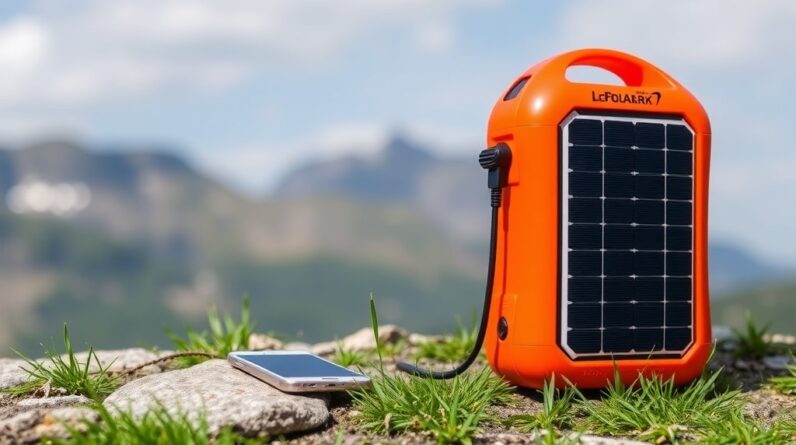
A portable solar charger gives you a way to generate new electricity when the grid is unavailable.
That can make a big difference during a three-day outage.
Place the panel outdoors where it receives direct sunlight.
You can use solar energy to charge:
- Phones
- Power banks
- Radios
- Rechargeable lights
- GPS devices
- Other USB electronics
Our guide to emergency solar chargers that can charge multiple devices covers larger solar charging setups that can be useful when several people need power.
Charge a Power Bank With Solar During the Day
Instead of leaving your phone connected directly to a solar panel for hours, you can charge a power bank during daylight.
Then use that stored electricity to charge your phone later.
This has several advantages.
You can leave the solar panel outside while keeping your phone with you.
You can also store electricity during sunny periods and use it after dark.
For a home outage, this can create a useful routine:
Daytime: Recharge power banks with solar.
Evening: Use power banks to recharge phones.
Night: Put phones into battery-saving or airplane mode.
Tiny Solar Panels Have Limits
Many solar power banks have one small solar panel built into the case.
That panel may generate electricity, but do not expect it to recharge a large battery quickly.
A tiny built-in panel can take a very long time to refill a depleted power bank.
That does not make it useless.
It simply means the solar panel should often be viewed as an emergency supplemental charger rather than your primary charging source.
If compact equipment is a priority, take a look at our guide to small solar chargers that fit in emergency go bags.
Larger folding panels generally produce much more useful amounts of electricity.
Can You Put a Solar Charger in a Window?
A solar panel may generate some electricity through a sunny window, but outdoor direct sunlight generally works better.
Window glass can reduce the amount of solar energy reaching the panel.
If possible, place the solar panel outdoors while keeping your phone and battery out of excessive heat.
You want the solar panel in the sun, not necessarily the phone.
Can a Solar Generator Charge Your Phone?
Absolutely.
Charging a smartphone is an easy job for almost any portable power station.
Even a relatively small solar generator may provide many phone charges.
A power station can also run other important devices such as:
- Wi-Fi equipment
- Laptops
- LED lights
- Fans
- Radios
- Some medical devices
If your needs extend beyond phones, you may want to consider a larger power station.
Our guide to whether you need a solar generator for shorter outages can help you decide whether the added capacity is worth the cost.
Use Your Laptop as Emergency Backup Power
If your laptop is fully charged, its battery may provide another way to recharge your phone.
Many laptops can send power through their USB ports.
It is not necessarily the most efficient solution, but during an emergency, every available source of electricity can help.
Newer devices using USB-C may offer even more charging flexibility.
Keep Spare Charging Cables
A dead charging cable can make a fully charged power bank useless.
Keep more than one compatible cable in your emergency supplies.
Depending on the devices in your household, you might need:
- USB-C to USB-C
- USB-A to USB-C
- Lightning
- Micro-USB
- Car USB adapter
- Multi-port wall charger
Make sure everyone in the household knows where the emergency cables are stored.
Keep Your Phone and Batteries Cool
Lithium batteries do not perform well in extreme heat.
Do not leave phones or power banks baking on a dashboard.
If you are using a folding solar panel outside, you can put the panel in direct sunlight while placing your phone or power bank in a shaded location connected by a cable.
This is particularly useful during summer outages.
Use a Separate Flashlight
Your phone has a flashlight, but that does not mean you should use it to illuminate the house for hours.
Keep a separate LED flashlight or battery lantern in your emergency kit.
Save the phone battery for communication, alerts, maps, and other tasks that only your phone can handle.
Some solar emergency devices combine lighting and phone-charging features. For an example, see our Unicumoo car emergency flashlight review.
Keep an Emergency Radio
You do not need to use your phone for every weather update.
A battery-powered, solar, or hand-crank emergency radio can provide information without draining your phone battery.
That lets you reserve your smartphone for direct communication and situations where internet access is necessary.
A Simple 3-Day Phone Charging Setup
You do not need an elaborate emergency power system to keep one phone running.
A practical setup for one person could include:
- Fully charged smartphone
- 20,000mAh power bank
- Portable solar charger
- USB car charger
- Two charging cables
- LED flashlight
- Emergency radio
For a household with several people, consider adding:
- Multiple power banks
- Multi-port charger
- Larger folding solar panel
- Small portable power station
If several family members need to charge phones at once, our article on solar chargers that can charge multiple devices is especially relevant.
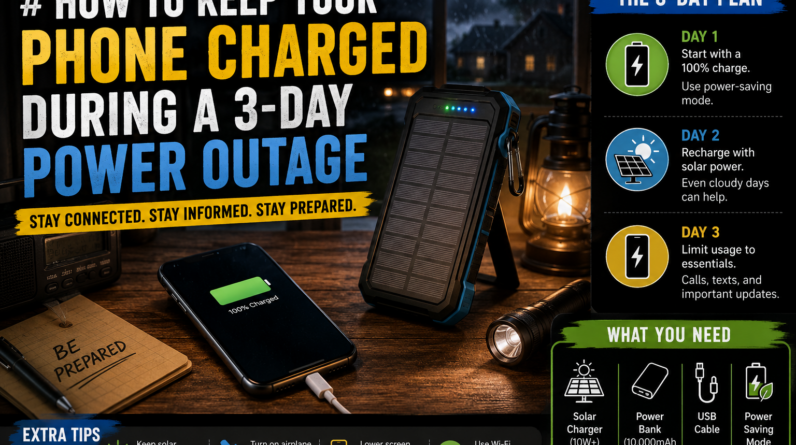
Day 1: Start Conserving Immediately
When the power goes out, do not assume it will return within an hour.
Start conserving battery power immediately.
Turn on battery saver.
Reduce screen brightness.
Limit unnecessary apps.
Use your phone’s internal battery before immediately draining your backup power bank.
If the sun is shining, start collecting solar energy.
You may appreciate that stored power on day three.
Day 2: Begin Using Backup Power
By the second day, your phone may need a substantial recharge.
Use your power bank to bring the battery back to a comfortable level.
You do not necessarily need to charge it to 100%.
Charging from 20% to 70% or 80% may give you plenty of usable battery while preserving some capacity in your power bank.
Continue solar charging during daylight.
If necessary, use your vehicle as an additional charging option.
Day 3: Treat Stored Power as a Limited Resource
By the third day, start thinking carefully about how much backup power remains.
Limit entertainment and unnecessary phone use.
Concentrate on:
- Emergency alerts
- Weather
- Communication
- Utility updates
- Maps
- Safety information
Continue replenishing batteries with solar whenever conditions allow.
If restoration estimates indicate the outage could continue for several more days, begin rationing your stored electricity even more carefully.
What Happens If Cellular Service Goes Down?
A phone can still be useful even when the cellular network is unavailable.
You can use it for:
- Offline maps
- Stored documents
- Camera
- Notes
- Calculator
- Saved contact information
- Downloaded emergency information
- Offline apps
Cellular service may also return before household electricity is restored.
Keeping your phone charged means you can reconnect as soon as the network becomes available.
Frequently Asked Questions
How can I charge my phone when the power is out?
You can use a power bank, solar charger, vehicle charger, portable power station, or compatible laptop.
How many power banks do I need for a 3-day outage?
For one person, a charged 20,000mAh power bank may provide several phone charges and could be enough depending on usage. Heavy phone use or multiple devices may require additional capacity.
Is a solar charger worth having for a power outage?
A solar charger can be particularly helpful when an outage lasts long enough to drain your stored batteries. Unlike a standard power bank, a solar panel gives you a way to generate additional electricity.
For a broader comparison, see the pros and cons of solar chargers.
Can a solar power bank keep my phone charged for three days?
Possibly, especially if the power bank begins fully charged.
However, the small solar panel built into many solar power banks may recharge the battery very slowly. A larger folding solar panel is generally better for producing meaningful amounts of electricity.
Should I keep my phone at 100% during an outage?
Not necessarily.
Keeping enough charge for communication and emergencies matters more than constantly topping the phone off to 100%.
Does airplane mode really save battery?
Yes.
It can be especially useful when cellular service is weak because your phone may otherwise spend significant energy searching for a signal.
Can I charge my phone in my car during a blackout?
Yes.
A USB vehicle charger is one of the simplest backup charging methods. If you need to run the vehicle, do so outdoors rather than inside a garage.
Prepare Your Phone Charging Plan Before the Outage
Keeping a smartphone operating for three days does not require a huge amount of electricity.
The key is having several ways to access that electricity.
Start with your phone and power banks fully charged.
Keep a car charger available.
Add a portable solar charger so you can produce additional electricity if your stored batteries run low.
Then start conserving power as soon as the outage begins.
A simple combination of stored battery power, solar charging, vehicle charging, and smart phone use can keep you connected through a three-day blackout and potentially much longer.
If you are putting together a portable emergency kit rather than a home setup, our guide to small solar chargers for emergency go bags is a good next read.
This post contains Amazon affiliate links.