


This post contains Amazon affiliate links.
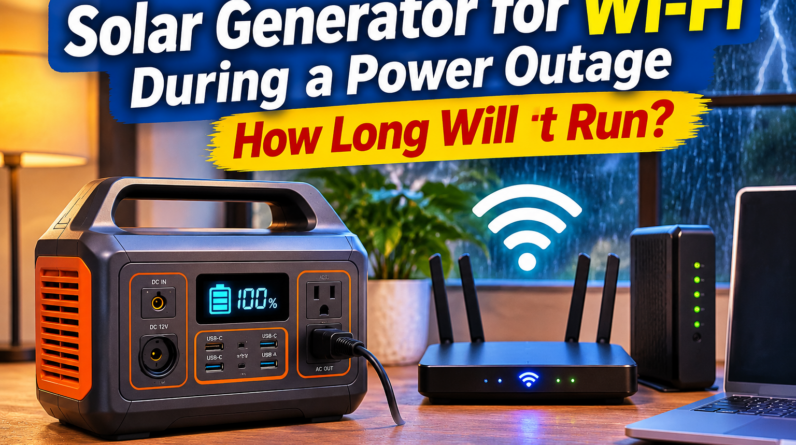
Solar Generator for Wi-Fi During a Power Outage: How Long Will It Run?
A solar generator for Wi-Fi during a power outage can keep your modem and router running when the electricity goes out, as long as your internet provider’s network is still working.
Wi-Fi equipment uses much less electricity than refrigerators, air conditioners, heaters, and most other household appliances. That means even a relatively small portable power station may keep your internet running for many hours.
For many homes, a 300Wh to 500Wh power station can provide useful Wi-Fi backup. A 1,000Wh unit can keep internet equipment running much longer while also powering phones, laptops, lights, and other small devices.
If you are trying to decide how much battery capacity you need for the rest of your home, read What Size Solar Generator Do I Need for a Power Outage?.
Quick Solar Generator for Wi-Fi Comparison
| Battery Size | Typical Wi-Fi Backup Use |
|---|---|
| 100Wh | Several hours |
| 300Wh | Most of a day for many setups |
| 500Wh | A day or longer in many cases |
| 1,000Wh | Multi-day potential |
| Battery + solar panel | Better for extended outages |
Actual runtime depends on how much electricity your modem, router, mesh system, and other networking equipment use.
How Much Power Does Wi-Fi Equipment Use?
A modem and router usually use relatively little electricity.
A basic setup may draw somewhere around 10 to 30 watts combined.
A more complex setup may use more if you have:
- Separate modem and router
- Mesh Wi-Fi system
- Multiple access points
- Network switch
- Ethernet equipment
- Smart-home hub
- Security system
Suppose your modem and router use 20 watts combined.
Over 10 hours:
20 watts × 10 hours = 200Wh
That means a 300Wh power station could potentially keep the system running for much of the day, depending on inverter losses and other loads.
How to Calculate Wi-Fi Runtime
Use this basic formula:
Usable battery watt-hours ÷ Wi-Fi equipment watts = approximate runtime
Suppose your portable power station provides about 450Wh of usable energy.
Your modem and router use 20 watts.
450 ÷ 20 = 22.5 hours
Actual runtime may be somewhat lower.
Why Usable Battery Capacity Matters
A 500Wh power station does not necessarily deliver the full 500Wh through its AC outlets.
Some electricity is lost through:
- Inverter conversion
- Internal electronics
- Standby power
- Cables
That is why you should leave some extra room in your calculations.
Can a 100Wh Power Station Run Wi-Fi?
Yes, in many cases.
If your modem and router use 20 watts:
100 ÷ 20 = 5 hours
After losses, actual runtime may be closer to a few hours.
A battery this small can still be useful for brief outages.
Can a 300Wh Solar Generator Run Wi-Fi?
Yes.
A 300Wh power station can be a very practical size for internet backup.
If your Wi-Fi equipment averages 20 watts, you may get somewhere around 10 hours or more depending on efficiency.
This size is also compact enough to store easily.
Can a 500Wh Solar Generator Run Wi-Fi?
Yes.
A 500Wh unit may keep a basic modem and router running for a full day or longer in some setups.
You may also have enough capacity left for:
- Phone charging
- LED lights
- Laptop
- Radio
For short outages, this can be more than enough.
Can a 1,000Wh Solar Generator Run Wi-Fi for Several Days?
Possibly.
Suppose your Wi-Fi setup uses 20 watts continuously.
Daily consumption would be:
20 × 24 = 480Wh
A 1,000Wh battery could theoretically provide about two days before losses.
If you turn the internet equipment off overnight, runtime can increase considerably.
Can You Run Wi-Fi and a Laptop Together?
Yes.
This is one of the most useful emergency combinations for people who work from home.
Suppose:
- Router and modem use 20 watts
- Laptop averages 50 watts
Combined load:
70 watts
If both run for five hours:
70 × 5 = 350Wh
A 500Wh unit may handle that for part of the day.
A 1,000Wh unit gives you much more flexibility.
Solar Generator for Wi-Fi and Remote Work
A solar generator for Wi-Fi can be especially useful if you work from home.
During a blackout, you may still be able to:
- Join video calls
- Send email
- Access cloud files
- Use messaging apps
- Continue working
- Charge your laptop
The main limitation may not be your battery.
Your internet provider must also have power to its local equipment.
Will Wi-Fi Still Work During a Power Outage?
Sometimes.
Your modem and router may work perfectly if you provide backup electricity.
But your internet provider may also lose power.
That means there are two separate parts:
- Your home networking equipment
- Your internet provider’s network
If the provider remains online, powering your modem and router may restore your internet.
If their equipment goes down, your Wi-Fi network may still exist inside your home but have no internet connection.
Can a Solar Generator Power a Cable Modem?
Yes.
Cable modems generally use relatively little electricity.
A small power station can often support one for hours.
Your router can be connected at the same time as long as the combined wattage remains within the battery’s limits.
Can a Solar Generator Power Fiber Internet?
It may keep your indoor fiber equipment running.
Fiber installations often use an optical network terminal or similar equipment.
You may need backup power for:
- ONT
- Router
- Wi-Fi access points
Check which equipment loses power when you unplug your wall outlet.
Can It Run a Mesh Wi-Fi System?
Yes, but a mesh system may use more electricity than one router.
If you have three mesh nodes, each device adds to the total load.
You may choose to run only the main unit during an outage.
That can reduce power consumption.
Should You Turn Off Extra Mesh Nodes?
During a long blackout, yes, if you do not need them.
Running fewer network devices saves battery power.
You may not need full-house Wi-Fi coverage during an emergency.
Keeping the main router active may be enough.
Can You Run Wi-Fi From a UPS Instead?
Yes.
A UPS can be an excellent option for short internet outages.
A UPS automatically switches to battery power when grid electricity fails.
That makes it especially useful for:
- Router
- Modem
- Desktop computer
- Network equipment
For a full comparison, read Solar Generator vs UPS: Which Is Better for a Power Outage?.
Solar Generator vs UPS for Wi-Fi
A UPS is often better for very short outages because it switches automatically.
A solar generator is usually better for longer outages because it has more battery capacity.
UPS
Best for:
- Brief interruptions
- Automatic switchover
- Router and modem
- Desktop computer
Solar Generator
Best for:
- Longer outages
- Multiple devices
- Laptop charging
- Solar recharging
- Multi-day backup
Some people use both.
Can You Plug a UPS Into a Solar Generator?
Sometimes, but you should check the manufacturer’s instructions for both devices.
Do not assume every power station and UPS combination is recommended.
A safer approach is often to use the UPS for instant backup and move to the larger power station if the outage continues.
Can a 100W Solar Panel Recharge Your Wi-Fi Battery?
Yes.
Wi-Fi equipment uses relatively little electricity.
A 100W solar panel may generate more than enough daily energy to replace the electricity used by a modem and router during favorable weather.
See What Can a 100-Watt Solar Panel Power During an Emergency? for more examples.
Is a 200W Solar Panel Better?
A 200W panel gives you faster charging and more room for additional devices.
You could potentially support:
- Wi-Fi
- Laptop
- Phones
- Lights
- Power banks
See What Can a 200-Watt Solar Panel Power During an Emergency?.
Do You Need 400W of Solar Just for Wi-Fi?
Usually not.
A 400W array would be far more than you need for basic internet equipment.
It makes more sense if you also want to run larger loads.
For example:
- Refrigerator
- Freezer
- Fans
- CPAP
- Several laptops
Our 400-watt solar panel guide covers those larger setups.
Solar Generator for Wi-Fi in an Apartment
A solar generator for Wi-Fi can be particularly useful in an apartment.
You do not need a gas generator just to keep internet equipment running.
A small battery station can operate indoors without engine exhaust.
If you are building a complete apartment backup system, see Best Solar Backup Power Setup for Apartment Dwellers.
How to Make Your Wi-Fi Battery Last Longer
Several simple changes can stretch your runtime.
Turn Off Extra Equipment
Disconnect unnecessary switches, access points, and mesh nodes.
Turn Off Wi-Fi Overnight
If nobody needs internet while sleeping, shut the equipment down.
Charge Phones Separately
Use a power bank instead of consuming your main battery.
Reduce Laptop Use
Heavy computer use may consume more electricity than the router itself.
Use Solar During the Day
Recharge your power station whenever sunlight is available.
Should You Leave the Router Running 24 Hours a Day?
Not necessarily.
During a long outage, shutting it off overnight can save a meaningful amount of energy.
Suppose your networking equipment uses 20 watts.
Eight hours of overnight operation uses:
20 × 8 = 160Wh
Turning it off overnight could save that energy for the following day.
Can You Use Your Phone Hotspot Instead?
Yes.
If cellular service remains available, your phone hotspot can provide internet without powering a modem and router.
This may be useful during a short outage.
The downside is battery consumption.
Hotspot use can drain a phone quickly.
If you plan to depend on your phone, read How to Keep Your Phone Charged During a 3-Day Power Outage.
Cellular Hotspot vs Home Wi-Fi During an Outage
Your best option depends on which network remains online.
Home Wi-Fi
Advantages:
- Normal home network
- Multiple devices
- Often faster
- Does not use phone battery
Phone Hotspot
Advantages:
- No modem or router required
- Portable
- Useful if cable or fiber service fails
Having both options gives you redundancy.
Can a Solar Generator Power Wi-Fi and Phones?
Easily in most cases.
Phone charging uses relatively little electricity.
A small power station can support several phone charges while also running your router.
This can make a 300Wh to 500Wh battery an excellent small outage setup.
Can It Run Wi-Fi and Lights?
Yes.
LED lights also use very little electricity.
For example:
- Router and modem: 20 watts
- Two LED lights: 20 watts
Combined:
40 watts
A 500Wh battery could theoretically support that load for many hours.
Can It Run Wi-Fi and a Fan?
Yes, depending on fan wattage.
Suppose:
- Wi-Fi equipment: 20 watts
- Fan: 40 watts
Combined:
60 watts
Over eight hours:
60 × 8 = 480Wh
Now a 500Wh power station becomes much more limited.
Can It Run Wi-Fi and a CPAP?
Yes, with enough battery capacity.
The CPAP will probably consume much more electricity than the router.
If you need medical-device backup too, see Can a Solar Generator Run a CPAP Machine All Night?.
Is a Small Solar Power Bank Enough for Wi-Fi?
Usually not.
Most small power banks are designed for USB devices.
Many routers and modems need AC or specific DC voltages.
A portable power station is usually easier because it provides standard outlets.
What Size Solar Generator for Wi-Fi Is Best?
For basic internet backup:
100Wh to 200Wh
Good for brief outages.
300Wh to 500Wh
A practical range for most home Wi-Fi backup.
500Wh to 1,000Wh
Better for overnight outages and multiple devices.
1,000Wh+
Useful if you also want laptops, fans, lights, and other equipment.
How to Choose a Solar Generator for Wi-Fi
When choosing a solar generator for Wi-Fi, focus on battery capacity, outlet type, standby consumption, and solar charging capability. Because routers and modems use relatively little power, you do not need a huge battery just for internet access. A 300Wh to 500Wh unit can be a good starting point for many homes, while a 1,000Wh unit gives you more room for laptops, phones, lights, and longer outages.
Test Your Wi-Fi Backup Before an Outage
Do not wait until a storm to test your setup.
Unplug your modem and router from the wall.
Connect them to the power station.
Check:
- Do they power on?
- Does internet service return?
- How many watts are being used?
- How quickly is the battery draining?
Let the system run for several hours.
This gives you a realistic runtime estimate.
Check Power Consumption on the Display
Many portable power stations show current output in watts.
This is useful.
Suppose the display shows 18 watts while your modem and router are operating.
If your battery has about 450Wh of usable energy:
450 ÷ 18 = 25 hours
Actual runtime may be a little lower.
Keep the Power Station Charged
A backup battery is only useful if it has stored energy.
Before severe weather:
- Charge the power station
- Charge your laptop
- Charge power banks
- Charge your phone
- Check cables
- Test your router setup
If you expect a storm, do this before the electricity goes out.
Can Solar Keep Your Internet Running for Days?
Potentially.
If your Wi-Fi equipment uses 400Wh per day and your solar panel generates 600Wh per day, you may be able to replace the energy you use.
That can turn a battery from temporary backup into a much longer emergency power source.
Weather remains the biggest variable.
What Happens If It Is Cloudy?
Solar output decreases.
The advantage with Wi-Fi is that the load is small.
Even reduced solar output may provide enough electricity to support your network equipment.
A larger battery gives you more reserve if poor weather continues for several days.
Should You Buy a Solar Generator Just for Wi-Fi?
Maybe not.
If the only thing you want to power is your router and modem, a UPS may be cheaper.
A solar generator makes more sense if you also want to power:
- Laptop
- Phones
- Lights
- Fan
- CPAP
- Television
- Other small devices
If outages in your area are usually short, read Is a Solar Generator Necessary for Short Outages?.
Best Setup for a Short Wi-Fi Outage
For a few hours:
- Small UPS or 100Wh to 300Wh power station
- Charged phone
- Power bank
That is often enough.
Best Setup for an Overnight Outage
Consider:
- 300Wh to 500Wh power station
- Phone power bank
- LED light
- Laptop battery
This can keep communication and basic work equipment available.
Best Setup for a 3-Day Outage
For longer outages:
- 500Wh to 1,000Wh power station
- 100W to 200W solar panel
- Power banks
- Phone hotspot backup
- LED lighting
Solar recharging becomes much more useful after the first day.
Frequently Asked Questions
Can a solar generator run Wi-Fi?
Yes. A solar generator can power most modems and routers as long as the unit has compatible outlets and enough battery capacity.
How long will a 500Wh power station run Wi-Fi?
A 500Wh power station may run a low-power modem and router for a full day or longer, depending on energy consumption and system losses.
Can a 300Wh power station run a router overnight?
Yes, in many cases. A typical modem and router may use relatively little electricity.
Will internet still work during a blackout?
It may. Your modem and router need backup electricity, but your internet provider’s network must also remain operational.
Is a UPS better than a solar generator for Wi-Fi?
A UPS can be better for short outages because it automatically switches to battery power. A solar generator is better for longer outages and additional devices.
Can a 100W solar panel keep Wi-Fi running?
A 100W panel can potentially generate enough daily electricity for many modem and router setups under good sunlight.
Can I run Wi-Fi and a laptop from the same solar generator?
Yes, as long as the battery capacity is large enough for both loads.
Should I turn my router off overnight during an outage?
If you do not need internet overnight, turning it off can save battery capacity.
Is a Solar Generator for Wi-Fi Worth It?
A solar generator for Wi-Fi during a power outage can be a very practical way to keep internet equipment running when grid electricity fails.
Because modems and routers use relatively little power, you do not need a huge battery.
For many households, 300Wh to 500Wh is enough for useful backup.
Move toward 1,000Wh if you also want to run:
- Laptop
- Phones
- Lights
- Fans
- Other electronics
Adding a 100W or 200W solar panel can make the system even more useful during multi-day outages.
The best step is to connect your modem and router to the power station now and measure their actual wattage.
Once you know the real load, estimating runtime becomes much easier.
For more outage planning, read Solar Generator vs UPS: Which Is Better for a Power Outage? and What Size Solar Generator Do I Need for a Power Outage?.
This post contains Amazon affiliate links.
