This post contains Amazon affiliate links.
Emergency Solar Chargers That Can Charge More Than One Device
Why a multi-device solar charger belongs in your kit
When the power goes out, you still need to connect, navigate, and get help. A reliable emergency solar charger keeps phones, radios, flashlights, and GPS units alive. The best models can power more than one device at the same time. That means you do not have to choose between a call and a map. You can do both. You stay informed. You stay safe.
Think of it as your pocket power hub. It sips sunlight and feeds your tech. No wall outlet needed. No fuel to store. Just set it in the sun and plug in.
How these chargers work
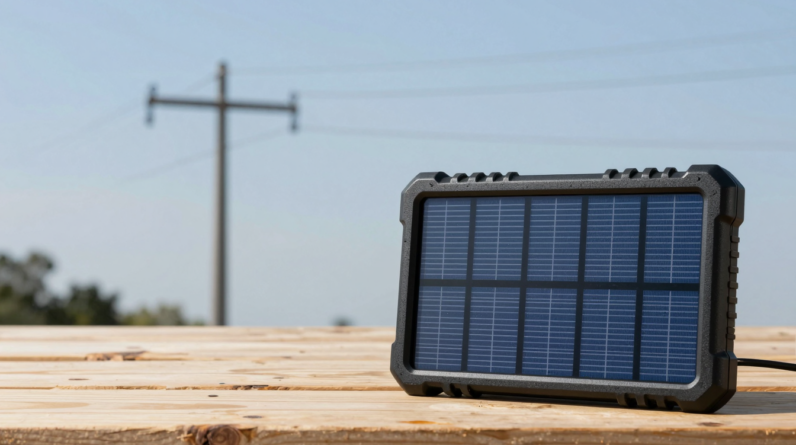
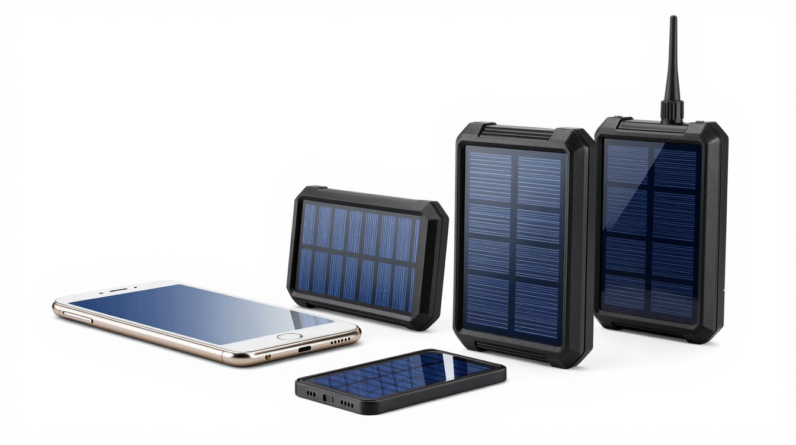
Most units pair a foldable solar panel with a built-in battery, also called a power bank. The panel makes power from the sun. The battery stores it so you can charge day or night. Many models add smart chips to split power across ports and protect your gear.
Some have only solar panels and no battery. These can work, but clouds or shade will stop the flow. For emergencies, a panel plus battery is the safer choice.
Key features to look for
Ports and output
- At least two USB outputs. One USB-C and one USB-A is ideal.
- USB-C PD (Power Delivery) at 18–30W. This charges phones and small tablets fast.
- Multiple-device support. Look for models that can share power to two or three ports at once.
Battery size and panel power
- Battery capacity: 10,000–20,000 mAh for go-bags; 20,000–30,000 mAh for home kits.
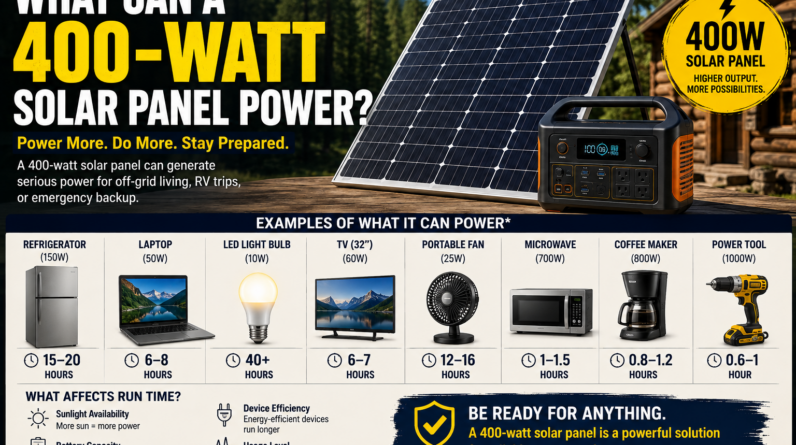
- Panel wattage: 10–15W for light carry; 20–30W for faster top-ups; 40–60W for families.
Durability and weather rating
- Rugged shell with rubber edges.
- Water and dust rating. IPX4 or higher helps in rain and wind.
- Reinforced hinges on foldable panels.
Smart protection
- Over-current, over-voltage, and short-circuit guards.
- Thermal control to prevent overheating in summer sun.
- Auto-restart after clouds pass, so charging resumes by itself.
Portability and setup
- Under 2 lb for daily carry; under 4 lb for car kits.
- Built-in kickstands or loops to hang on a pack or tent.
- Clear status lights that show input and output.
Right-size your power for real life
You want enough energy to keep core gear alive without extra bulk. Use this quick guide.
- Phone: 10–15 Wh (one full charge).
- Small tablet: 25–35 Wh.
- Two-way radio: 5–10 Wh.
- Headlamp: 3–5 Wh.
A 20,000 mAh bank is about 74 Wh. That can charge a phone 4–5 times, a radio once, and a headlamp a few times. Pair it with a 20–30W solar panel, and you can refill the bank during a sunny day.
Scenarios and best fits
- Go-bag: 10,000–20,000 mAh bank with 10–20W panel, dual ports, 18–20W USB-C PD.
- Home outage: 20,000–30,000 mAh bank with 28–40W foldable panel, three ports, 30W USB-C PD.
- Family camping: 30,000 mAh bank with 40–60W panel, USB-C PD plus two USB-A, and passthrough charging.
- Car kit: Keep a 20–30W panel and cable set in the trunk; add a 12V adapter if your charger supports it.
Set up for faster, safer charging
- Face the panel south (north in the southern hemisphere) and tilt it toward the sun.
- Keep the panel cool. Heat reduces output. Add airflow behind it.
- Use short, high-quality cables. USB-C to USB-C for fast phones and tablets.
- Charge the power bank first. Then charge devices from the bank.
- Plug in high-priority gear first. Phones and radios matter most.
What to include in your cable kit
- USB-C to USB-C for PD fast charge.
- USB-A to USB-C for legacy ports.
- USB-A to Micro-USB for older lights and radios.
- Lightning cable for iPhone if needed.
- Spare tips and a compact splitter for headlamps.
Safety and care
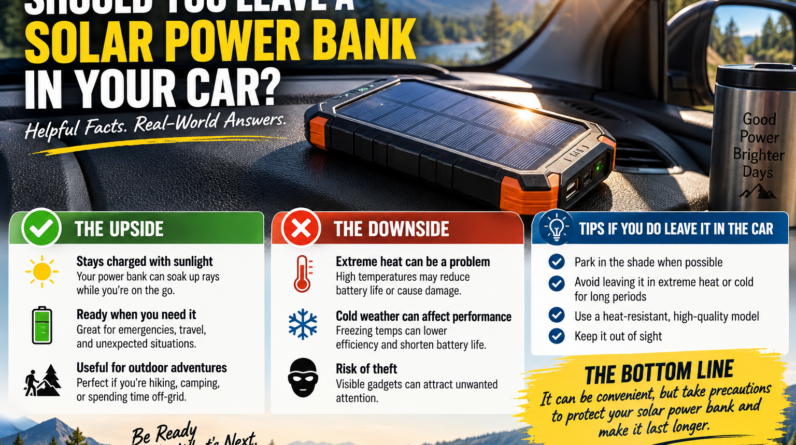
- Do not leave the battery baking in full sun. Shade the bank; keep only the panel in sun.
- Wipe dust from the panel with a soft cloth. Clean panels make more power.
- Store the bank at 50–80% charge if not in use. Top it off every 3 months.
- Keep the charger dry. If it gets wet, dry it before use.
How to tell if it can charge more than one device at once
Look for the words “simultaneous charging” or “multi-port output.” Many models show max total watts. If it says “30W total,” that means two ports can share that 30W. For example, your phone may pull 20W on USB-C while a light pulls 10W on USB-A. Check the manual for per-port caps.
Quick picks by need
- Light and compact: 10,000 mAh + 12–15W panel; two ports; 18W USB-C PD.
- Balanced and fast: 20,000 mAh + 20–28W panel; three ports; 30W USB-C PD.
- Family-ready: 30,000 mAh + 40–60W panel; four ports or more; 30W+ USB-C PD and passthrough.
Common questions
Can it run a laptop?
Some can. You need USB-C PD at 45–65W. Many small chargers do 20–30W, which is fine for phones and tablets, not most laptops. If you must power a laptop, pick a higher PD output and a larger panel.
What if the sun is weak?
Clouds slow things down. Use the built-in battery as a buffer. Let the panel charge the bank all day. Charge your phone from the bank at night.
Is wireless charging worth it?
It is handy, but it wastes some power. In emergencies, use cables for best speed and efficiency.
Can I charge three devices at once?
Yes, if your unit supports it. Check max total watts. Split power by need. Fast-charge the phone on USB-C and use USB-A for small items.
Will it harm my battery if I leave it plugged in?
Good chargers have smart control and will taper power. It is safe, but in high heat, unplug when full to reduce stress.
Simple buying checklist
- At least two ports (USB-C + USB-A) and support for charging more than one device at a time.
- USB-C PD 20–30W or higher.
- Battery 10,000–30,000 mAh based on your needs.
- Foldable panel 20–40W for steady refills.
- Rugged build, weather rating, and clear status lights.
- Short, durable cables for all your devices.
Action plan for your emergency kit
- List your must-have devices and their ports.
- Pick a charger with enough ports and watts to share.
- Match a panel to your battery size and sun in your area.
- Pack spare cables and a dry bag.
- Test the setup before you need it. Practice makes it easy.
Power-smart habits that extend runtime
- Switch phones to low power mode. Turn off Bluetooth and 5G if you do not need them.
- Use airplane mode when you sleep.
- Dim screens and close background apps.
- Charge small items first in weak sun. Save fast charging for strong sun or from the battery.
You do not control the weather or the grid. But you can control your readiness. With the right emergency solar charger, the right panel, and clear steps, you can keep several devices going at once. Stay in touch. Light the night. Find your way. All from sunlight.
Choosing the Right Multi-Device Solar Charger: Ports, Wattage, and Battery Capacity
Smart ways to pick emergency solar chargers that can charge multiple devices
When the power goes out, you still need your phone, radio, and GPS to work. A good multi-device solar charger keeps you connected. The trick is matching the ports, wattage, and battery size to what you use. This guide shows you how to choose the right setup so you can stay safe and powered when it matters most.
Start with your real needs
- List every device you must charge: phone, tablet, headlamp, radio, camera, power bank.
- Note the charging port and speed each device supports: USB-A, USB-C PD, or 12V DC.
- Count how many items you need to charge at once.
- Decide how many days you want to ride out without grid power.
Emergency Solar Chargers That Can Charge Multiple Devices work best when you size them to your daily energy budget. A quick check stops overloads and slow charge times.
Ports that matter for multi-device charging
Ports decide what you can plug in and how fast it powers up.
USB-C PD for modern gear
- Look for USB-C Power Delivery (PD) at 20W to 45W for phones and tablets.
- 30W PD charges most phones fast and can top up small laptops or cameras.
- Check for PPS (Programmable Power Supply) if you use newer Android phones; it helps keep charging cool and efficient.
USB-A for older devices
- USB-A ports are fine for lights, radios, and older phones.
- Beware shared ports: two ports may split one 12W budget. Your fast charge can drop if both are active.
DC and AC outputs for special cases
- 12V DC ports run some routers, pumps, and air inflators during emergencies.
- AC outlets on small solar power stations run low-watt gear. Check the inverter rating. Stay under 80% of its limit for steady use.
For true multi-device use, choose a charger or power station with at least one high-watt USB-C PD port plus two or more extra ports. This mix covers most homes and go-bags.
Wattage: how much panel power you really need
Wattage tells you the peak power a solar panel can make in full sun. Real life is lower. Clouds, heat, and shade cut output. Plan for 50–70% of the rated watts on average.
- 10–20W panel: single phone, sunny days, slow top-ups.
- 28–40W panel: two phones or one phone plus a small battery at once.
- 60–100W panel: best for Emergency Solar Chargers That Can Charge Multiple Devices, including tablets and radios.
Use this simple rule: if you want to power two phones and a tablet daily, aim for at least a 60W foldable panel. If shade is common, step up to 80–100W. More watts mean faster recovery after cloudy hours.
Battery capacity: the buffer that keeps power steady
Direct solar-to-phone charging can cut in and out with passing clouds. A built-in or add-on battery fixes this. It stores energy, then feeds your devices at a steady rate.
Understand watt-hours, not just mAh
- Phone charge math: Phone battery (mAh) × 3.7V ÷ 1000 ≈ Wh.
- Typical phone: 5000 mAh ≈ 18.5 Wh per full charge.
- Small tablet: 8000–12000 mAh ≈ 30–45 Wh.
Pick a battery with 2–3× your daily need. For two phones (about 37 Wh) and a radio (say 5 Wh), choose at least 100 Wh to have a safety margin. For a family, a 200–300 Wh solar power station pairs well with an 80–120W panel.
Direct panel vs. solar power bank vs. small power station
- Direct panel with ports: light, simple, best for day use. Use only if you can keep devices in the sun and don’t mind slower or unstable flow.
- Solar power bank (10,000–30,000 mAh): pocket-size buffer with USB-C PD. Great for one to three devices.
- Small power station (150–500 Wh): has USB-C PD, USB-A, 12V, sometimes AC. Best for Emergency Solar Chargers That Can Charge Multiple Devices during multi-day outages.
Charging speed and sharing power across ports
- Many chargers share a total budget. A “40W total” device with two ports may cap each port at 20W when both are in use.
- Look for labels like “independent ports” or “per-port PD budgets.”
- Prioritize: plug your most critical device into the USB-C PD port first.
- Use low-draw ports (USB-A) for lights and radios to leave PD free for your phone or tablet.
Build and safety features to look for
- Weather protection: IPX4 or better for light rain. Reinforced corners on foldable panels.
- Heat management: panels run hot in sun; choose dark fabric with airflow gaps and kickstands.
- Electronics: over-voltage, over-current, short-circuit, and temperature protection.
- Cables: include a short, thick USB-C cable rated for 60W or 100W PD. Thin cables waste power.
Fast setup tips for reliable charging
- Angle panels to face the sun; re-aim every 60–90 minutes.
- Keep panels cool. Heat drops output. Lift edges for airflow.
- Charge the battery first, then the devices. This smooths solar dips.
- Use airplane mode while charging to cut draw and finish faster.
- At night, shut off idle ports to save the battery.
Simple planning math you can trust
Step 1: estimate daily use
- Two phones: 2 × 18.5 Wh = 37 Wh
- One radio: 5 Wh
- Total: about 42 Wh per day
Step 2: size the battery
- Choose 2–3× daily need: 100–150 Wh buffer for cloudy days.
Step 3: size the panel
- 60W panel × 4 sun hours × 60% real output ≈ 144 Wh per day. Enough to refill the battery and run devices.
Two field-tested setups
Light kit for a couple
- 28–40W foldable panel
- 20,000–30,000 mAh power bank with 30W USB-C PD
- Ports: 1× USB-C PD, 2× USB-A
- Use: charge two phones and a headlamp daily
Home outage kit for a small family
- 80–120W foldable panel
- 200–300 Wh power station with 60–100W USB-C PD, extra USB-A, and 12V DC
- Use: two to three phones, one tablet, radio, and small LED lights
Common mistakes to avoid
- Buying a panel with too few ports for your gear.
- Ignoring that two ports may share one small power budget.
- Skipping a battery buffer and getting unstable charges in patchy sun.
- Using long, thin cables that choke fast charging.
- Leaving panels flat and hot on the ground, cutting power by 20–30%.
Quick checklist before you buy
- Ports: at least one USB-C PD (30–60W) plus two extra outputs.
- Wattage: 60–100W panel for true multi-device use; smaller only for light loads.
- Battery: 2–3× your daily Wh need; look for pass-through charging support.
- Safety: full protections, quality cells, and a clear warranty.
- Durability: weather rating, tough hinges, and strong loops for hanging.
Why this approach works in real emergencies
Emergency Solar Chargers That Can Charge Multiple Devices shine when they match your exact load. The right ports keep everything plugged in. Enough wattage fills your battery even on short winter days. A solid battery rides through clouds and nights. Put these three pieces together, and your kit will power up your life when the grid goes dark.
Fast Charging and Safety: USB-C PD, Overcurrent Protection, and Smart IC
Reliable power from the sun when you need it most
When storms, fires, or blackouts strike, you still need to keep phones, radios, and lights alive. Emergency Solar Chargers That Can Charge Multiple Devices give you that lifeline. They turn sunlight into safe power for phones, tablets, GPS units, headlamps, and even some laptops. With the right ports and smart safety tech, you can charge fast, share power across many devices, and protect your gear at the same time.
Why speed matters when you have limited sun
Clouds move. Shade shifts. Daylight ends. You want to grab as much energy as you can while the sun is out. Fast charging helps you fill a power bank fast and top up phones in less time. This is key when you also need to run a radio, lights, and a satellite messenger. The best Emergency Solar Chargers That Can Charge Multiple Devices now include high-speed ports and a smart chip that talks to each device. The result is more power to the right device, at the right time, with less waste.
How USB-C Power Delivery improves real-world charging
USB-C Power Delivery (USB-C PD) lets your device and charger set the best voltage and current. That means faster top-ups without guesswork. A phone may ask for 9V. A tablet may want 12V. A small laptop could step up to 20V. With PD, the port adjusts in seconds. In an emergency, that saves time and keeps your battery levels steady.
Note that a solar panel alone can swing with clouds. For stable PD, pair your panel with a PD power bank or a solar generator that has a built-in battery and a PD controller. Many foldable panels feed a battery first. The battery then gives clean, steady PD to your gear.
Smart chip logic that picks the right speed
Smart IC (sometimes called a smart chip) checks each device and sets the best rate for it. It spots if a port is a phone, a watch, or a speaker. Then it shares the total power budget across all ports. This prevents one hungry device from hogging the whole panel. With Smart IC in a multi-port solar charger, your phone gets a strong, safe current while your earbuds sip just enough on the next port.
Built-in guards that protect your gear
Good emergency gear should be safe by design. Look for these in any multi-port solar charger or solar power bank:
- Overcurrent protection: stops extra current that could hurt a device or cable.
- Overvoltage protection: blocks voltage spikes from sun swings.
- Short-circuit protection: shuts off power if leads touch or a cable fails.
- Overtemperature protection: slows or stops output if heat rises too high.
- Reverse current protection: keeps power from flowing back into the panel at night.
Choosing a setup that fits your emergency plan
Start with how many devices you must run at once. Then match the panel and battery to that load. For most families, a foldable 28–60W panel plus a 20,000–30,000 mAh PD power bank works well. If you must power a small laptop and a router, consider a 60–100W panel and a larger battery station with PD at 45–60W or more.
Quick checklist for fast and safe charging
- USB-C PD output: at least 18–30W for phones and tablets; 45–60W for light laptops.
- Multiple ports: one USB-C PD, plus two or more USB-A with Smart IC.
- Battery buffer: built-in or add-on power bank with PD input and output.
- MPPT charge controller: squeezes more energy from weak sun.
- Rugged build: IP65 or better splash resistance, tough fabric, strong loops.
- Clear labels: port icons and status LEDs you can read at a glance.
- Cables: short, high-quality USB-C and USB-A cables rated for fast charge.
Steps to charge many devices with speed and care
- Place the panel in full sun. Angle it toward the sun and keep it cool and clean.
- Plug the panel into your PD power bank or solar station first.
- Use the USB-C PD port for your most critical device (phone or radio) if the battery is low.
- Connect lower-priority items to USB-A ports. Let Smart IC balance the load.
- Watch the LEDs. If clouds roll in, unplug less urgent devices to keep PD steady.
- Coil extra cable length to cut loss. Avoid thin, flimsy cables.
- Keep the gear shaded and dry. Only the panel should sit in the sun.
Tips to get the most from limited sunlight
- Charge a battery first, then charge devices from that battery while on the move.
- Top up in the morning and again in early afternoon when light is strong.
- Set priority: phone and radio first, then lights, then comfort items.
- Use airplane mode. Turn off 5G or GPS if you do not need it while charging.
- Keep panels cool. Heat lowers output; a slight breeze helps.
What to look for in Emergency Solar Chargers That Can Charge Multiple Devices
You want a unit that handles more than one gadget without risk. Seek a foldable panel with a PD port, a smart controller, and strong overcurrent protection. Add a power bank with PD passthrough if you can. Check the rated watts, the number of ports, and the safety list. Read the manual. Test it at home before you toss it in a go bag.
Recommended power tiers by device mix
- Phones + earbuds + headlamp: 20–28W panel, 10,000–20,000 mAh PD bank, PD 18–20W.
- Phones + tablets + camera: 28–40W panel, 20,000–30,000 mAh PD bank, PD 30W.
- Add small laptop or router: 60–100W panel, larger battery station, PD 45–60W.
Care and storage for long life
- Store the battery at about 50–70% charge.
- Test the kit monthly. Plug in all devices and do a short charge run.
- Keep panels dry and clean. Wipe dust that can block light.
- Do not leave the battery in a hot car. Heat shortens battery life.
- Label each cable. In a rush, you will know which one fits the PD port.
Common questions
Can a solar charger fast charge a laptop?
Yes, if the system has USB-C PD at 45–60W or more and a stable battery in the loop. A panel alone often cannot hold steady voltage. Use a PD power bank or station between the panel and the laptop.
What does overcurrent protection do?
It shuts the port when too much current flows. That guards your device, your cable, and the charger from harm.
How does Smart IC help when I plug in three devices?
It detects each device type and shares the total power across ports. The most needy device gets more current. Others get a safe level so all can charge together.
Is fast charging bad for my phone?
No. With USB-C PD and heat control, the phone and charger agree on a safe rate. Heat is the main enemy, so keep the phone shaded while charging.
Do I need MPPT?
It helps a lot. MPPT pulls more power when light is weak or shifting. You get better results in real weather, not just in lab light.
Put it all together
Emergency Solar Chargers That Can Charge Multiple Devices work best with high-speed ports, strong safety guards, and smart power sharing. Pair a solid foldable panel with a PD battery. Use the PD port for your key device. Let Smart IC do the rest. With this setup, you get fast top-ups, safe gear, and peace of mind when the grid goes dark.
Real-World Emergency Use: Blackouts, Go-Bags, Camping, and Vehicle Kits
Stay Powered When Everything Else Stops
When the lights go out or you head off-grid, your phone is your map, your light, and your lifeline. Emergency Solar Chargers That Can Charge Multiple Devices keep all your gear running from the same sun. You can charge a phone, a radio, a headlamp, and a GPS at once. No outlet needed. No fuel to store. Just sunlight and a smart setup.
These portable chargers are light, tough, and simple to use. Most fold up small and hang from a pack or a car window. Pair them with a power bank to store energy for night use. With the right ports and cables, you can keep your tools and your family ready.
Why multi-device charging matters during an outage
In a power cut, one port is not enough. You need to run more than one item at the same time. Emergency Solar Chargers That Can Charge Multiple Devices give you options and speed. You can top up a phone while you fill a radio and a light. That saves time and keeps lines open.
- Phones: keep calls, maps, and alerts active.
- Radios: get news and weather when cell towers fail.
- Lights: power a flashlight or lantern for safety.
- Battery bank: store power for night and bad weather.
Key features to look for
- Wattage: a 20–28W folding panel handles phones and small gear fast. Go 30W+ for bigger loads or cloudy days.
- Ports: at least two USB-A and one USB-C. USB-C PD (18–30W) gives fast charge to modern phones.
- Battery: a 10,000–20,000 mAh bank bridges night and shade. Make sure it supports pass-through (charge the bank and devices at once).
- Durability: look for water and dust resistance (IP65 or better), tough seams, and metal grommets.
- Weight: aim for under 2 lb for a panel-plus-bank kit you can carry all day.
- Cables: short, braided USB-C, Lightning, and Micro-USB. Add a USB-C to USB-C for laptops and tablets that support PD.
Power plan for a home outage
Have a simple rhythm when the grid drops. It keeps stress low and power flowing.
- At first light, place the panel in direct sun. Face it south (in the north) and tilt to match the sun angle.
- Plug the power bank into the fastest port. Then plug in a phone and a light.
- Swap devices every hour to share charge. Keep calls short. Turn on low-power mode.
- Move the panel as the sun shifts. Shade kills charge speed.
- At dusk, charge only the must-haves: phone, radio, a headlamp. Save the rest for the next day.
Emergency Solar Chargers That Can Charge Multiple Devices help you set and forget. You can run three items at once and avoid a long line at a single port.
Build a smart go-bag loadout
Your go-bag should be light and fast. Pick gear that works in rain, wind, and cold. Keep it simple so you can set it up with cold hands or in the dark.
- Folding panel: 20–28W with two or more USB ports and metal loops for straps.
- Power bank: 10,000–20,000 mAh with USB-C in/out and pass-through.
- Cables: 2x USB-C, 1x Lightning, 1x Micro-USB (or a 3-in-1 cable). Add a short 6–12 inch cord to reduce tangles.
- Clips: carabiners and Velcro straps to hang the panel on a pack or tent.
- Case: a small dry bag to protect the bank and cords from rain.
- Label: tape each cable end so you can grab the right one fast.
Camp power that just works
In camp, sun time is your fuel. Set a clean routine and you will keep every device topped up.
- Lay the panel flat at noon; tilt in morning and late day. Wipe dust for better output.
- Use the power bank as the hub. Panel to bank, then bank to devices. This evens out clouds.
- Charge lights and the radio first. They guide you at night.
- Keep phones in airplane mode. Sync messages when you need them.
- Hang the panel off a branch or guyline with a slight tilt to avoid shade and pooling rain.
Emergency Solar Chargers That Can Charge Multiple Devices shine in camp. You can handle phones, lights, and GPS at once, so no one waits.
Set up a reliable vehicle kit
Your car is a great base. Add a compact solar kit so you can charge even if the battery is low. Do not leave lithium banks in hot cars. Store them inside when you can, or in an insulated pouch out of direct sun.
- Stow a folding panel in the trunk. Deploy it on the roof or outside the window when parked. Glass cuts charge speed.
- Add a 12V USB-C PD adapter for driving. Top off the bank while you move.
- Keep a long USB-C cable to reach from dash to back seat safely.
- Pack a small LED lantern that runs from USB. It lights the cabin for hours.
- Test the full setup monthly. Check ports, cables, and the bank’s health.
Safety, care, and simple best practices
- Heat hurts batteries. Shade the power bank while the panel bakes in the sun.
- Keep panels dry when possible. Most are splash-proof, not submersible.
- Use only good cables. A bad cord cuts speed by half or more.
- Do a dry run now, not during a crisis. Learn the angles, the ports, and your device needs.
- Track your daily use. If you need 2 full phone charges per person, size up your panel or bank.
Fast buyer guide for real use
Match your kit to your plan. The right size makes life easier when time is tight.
- Solo travel: 20W panel + 10,000 mAh bank, 2 ports, under 1.5 lb.
- Family plan: 28–40W panel + 20,000 mAh bank, 3+ ports with USB-C PD.
- Cold weather: larger bank (20,000 mAh) to offset reduced output.
- Cloudy areas: aim for 30W+ and use a bank with pass-through.
- Rough use: IP65+, reinforced corners, braided cables.
Emergency Solar Chargers That Can Charge Multiple Devices are not luxury items. They are core tools. With a smart panel, a solid bank, and the right cords, you stay connected, lit, and calm. Build your kit now, test it, and you will be ready when the next test comes.
Setup and Care Tips: Panel Placement, Weather Readiness, and Maintenance
Emergency Solar Chargers That Can Charge Multiple Devices can be a lifeline when the grid goes down. You want fast, steady power and long gear life. Good setup and simple care make a big difference. This guide shows you how to place panels, prep for rough weather, and keep your kit running strong.
Quick wins that boost real-world charging
- Face the sun and avoid shade for steady watts.
- Anchor panels so wind and rain do not stop power.
- Clean and check gear often to prevent drops in output.
- Charge the right device first to share power well.
Site choices that speed up power harvest
Pick a clear spot with open sky. Even a small shadow can cut your power. Place Emergency Solar Chargers That Can Charge Multiple Devices on a firm surface. Use kickstands, grommets, or a car roof to get a solid base. Keep the power bank in shade while the panel sits in sun. A longer cable helps you do this.
Angle and direction that work in most places
- Point panels south if you live in the north half of the world. Point north if you live in the south half.
- Tilt around 30–45 degrees for most seasons. Steepen the tilt in winter. Lower it in summer.
- Re-aim at midday sun for the strongest boost. If you can, nudge the angle every 60–90 minutes.
Flat on the ground is easy but not ideal. A small tilt drains heat and sheds dust. Heat lowers power. Leave space behind the panel for airflow.
Shade and heat control
- Move away from trees, tents, and roof racks that cast lines of shade.
- Do not stack items on the panel. That creates hot spots.
- Let air pass under the panel. A one-inch lift helps cooling.
- Use short, high‑quality cables to cut power loss.
Gear choices that help multi-device charging
Match ports to your devices. For phones and newer tablets, look for USB‑C PD. For older gear, keep one micro‑USB lead. Many Emergency Solar Chargers That Can Charge Multiple Devices include USB‑A, USB‑C, and sometimes DC ports. A small hub can help, but direct ports are best.
- Plug in the highest draw device first (like a laptop or big tablet).
- Use one port per device when you can. Skip cheap splitters.
- Stagger charging. Top up a phone to 80%, then swap to a radio or light.
- If clouds roll in, charge a power bank first. Then charge devices from the bank for steady flow.
Weather steps that keep power on
Outdoors can be rough. Plan for wind, rain, dust, and sun. Your setup should keep working in all of it.
Rain, spray, and damp
- Pick panels with strong water resistance. Ratings like IP65 or IP66 handle heavy spray.
- Keep the power bank and ports dry. Close port covers. Use a dry bag or zip pouch.
- Hang panels with carabiners and paracord so water runs off the surface.
- Wipe moisture after use to prevent corrosion at the connectors.
Wind and tie‑downs
- Use all grommets. Stake or weigh down the corners with sandbags or rocks.
- Do not bend the panel across sharp edges. Support the full length.
- Lower the tilt in high gusts to cut lift.
Heat, cold, and sun fade
- Keep the battery out of direct sun. Shade it with a pack or towel.
- In cold weather, warm the battery in a jacket pocket before charging.
- ETFE‑coated panels last longer in harsh UV. If you camp often, this is worth it.
- Do not leave gear in a hot car. High heat ages cells fast.
Simple care that keeps watts high
Dust and grime block light. Loose wires waste power. A few minutes of care keeps your Emergency Solar Chargers That Can Charge Multiple Devices at peak output.
Fast cleaning routine
- Brush off grit with a soft, dry brush.
- Wipe with a damp microfiber cloth and mild soap if needed.
- Avoid harsh cleaners and paper towels. They can scratch the surface.
- Dry fully before folding to stop mildew.
Checks you should not skip
- Inspect cables for kinks or frays. Replace bad leads at once.
- Look at the hinges, seams, and grommets on foldable panels.
- Test every port monthly. Confirm USB‑C PD works with a known device.
- Feel for hot spots while charging. Heat can hint at a loose link.
Battery habits that add years
The power bank is the heart of multi‑device charging. Care for it and it will care for you.
- Store at about half charge if you will not use it for weeks.
- Top up every 2–3 months to prevent deep drain.
- Avoid full empty to full 100% cycles every day. Aim for 20%–80% in normal use.
- Do not charge on a soft bed or in a closed bag. Let heat escape.
Daily field workflow that works
- Morning: Set panels to face early sun. Plug in the power bank first.
- Midday: Re-aim for peak light. Add your laptop or tablet on the PD port.
- Afternoon: Rotate again. Swap to phones, radios, and lights.
- Evening: Pack dry gear. Keep the battery warm and safe.
Smart problem solving
- Clouds cause drops. Use the bank as a buffer for stable phone charging.
- If a device keeps pausing, use a shorter cable or switch to a higher‑power port.
- Panels dirty? Clean them and check tilt before blaming the hardware.
- No output from one section? Unplug, fold, and unfold to reseat the hinge, then test again.
Packing tips that save time
- Bundle cables with labels: USB‑C, Lightning, micro‑USB.
- Add spare carabiners, Velcro straps, and a small microfiber cloth.
- Slip silica gel packs in the pouch to cut moisture.
- Keep a quick checklist in the case so you can deploy fast.
Key takeaways for reliable multi‑device power
- Good sun aim beats bigger panels that are set wrong.
- Wind and water plans protect your charge window.
- Clean panels and solid cables keep watts steady.
- Charge the bank first, then share power across devices.
With the right setup and simple care, Emergency Solar Chargers That Can Charge Multiple Devices will give you steady power when it counts. Aim true, anchor well, clean often, and charge smart. Your phone, radio, lights, and laptop will all get the juice they need, even when the grid is not there for you.
Conclusion
Emergency Solar Chargers That Can Charge Multiple Devices keep you connected when life goes sideways. With the right kit, your phone, radio, lights, and GPS stay alive. You get power from the sun, day after day, with no fuel to store.
Choose a multi-device solar charger with the ports you need. USB-C PD for fast charging. Enough wattage to work in light cloud. A battery capacity that fits your load at night. Look for high-efficiency panels and a solid build.
Do not skip safety. Overcurrent protection, Smart IC, and heat guards protect your gear. Smart IC also shares power across ports so each device gets what it needs. USB-C PD helps laptops and tablets charge faster, even in short sun windows.
Plan for real use. In blackouts, set the panel by a bright window or on a balcony. Keep one in your go-bag for storms and evacuations. Pack one for camping and one in vehicle kits. Test the setup at home and label cables by device.
Set up with care. Aim the panel at the sun and tilt often. Keep it clean and dry. Check weather readiness: IP rating, corner guards, and tie-down points. Do light maintenance: top off the battery each month, coil cables, and store in a cool, dry place.
Pick a model that matches your devices and climate. Size the panel and battery to your real daily use. When the grid fails, this small step gives you time, light, and calm.
This post contains Amazon affiliate links.